The Best Tools for Moving Requirements Out of Excel
The best tools for moving requirements out of Excel in 2026, ranked for medical device teams. Short answer: they are Matrix Req, Jama Connect, Siemens Polarion ALM, PTC Codebeamer, IBM DOORS Next, Visure Requirements, Ketryx and Orcanos. Matrix Req is first because its import maps your existing spreadsheet columns onto requirement, risk and test fields with traceability intact, in as little as one to two hours for some datasets, and because the revision history, red-line comparison and signed snapshots a spreadsheet cannot produce are there on day one rather than configured in afterwards.
A disclosure before anything else. We work at Matrix One, the company behind Matrix Req, and Matrix Req is first on this list, so read the ranking knowing who wrote it. It is written to be checkable: every claim about our own product is on our product page, every competitor claim comes from that vendor's own published material, and every regulatory requirement carries its clause number.
The reason this migration goes wrong is that teams treat it as a file conversion. It is not. A requirements spreadsheet holds four things at once: the requirement text, a structure implied by indentation and numbering, links expressed as text inside cells, and a review history living in filenames and email. Only the first survives an import unchanged. The rest has to be rebuilt deliberately, and deciding how is the actual work.
Which tools move requirements out of Excel best in 2026, at a glance?
Eight tools, ranked for this job rather than for requirements management in general. The distinction matters: a platform can be excellent at managing requirements once they are inside it and still make getting them in a project you pay for separately.
| Tool | Built for | Strongest on |
|---|---|---|
| Matrix Req | Medical device, diagnostics and SaMD teams that need design control evidence without an enterprise rollout | Column-mapped Excel and Word import with traceability preserved, plus revision history and red-line comparison in the box |
| Jama Connect | Large systems engineering programmes across MedTech, automotive and aerospace | A published migration path specifically from Word and Excel documents, and formal review workflows |
| Siemens Polarion ALM | Enterprise programmes that exchange specifications with customers and suppliers | A rule-based Import Wizard for Word and Excel, plus built-in ReqIF for lossless exchange |
| PTC Codebeamer | Software-heavy regulated development that wants a standards template rather than a blank system | Prebuilt templates for IEC 62304, ISO 26262 and ASPICE |
| IBM DOORS Next | Long-running, high-compliance systems engineering at programme scale | Round-trip data import and export, baselines and multi-level traceability |
| Visure Requirements | Teams whose requirements arrive from several external tools at once | A published integration list covering Word and Excel, IBM DOORS, ReqIF and Jira |
| Ketryx | Software teams that intend to keep developing in Jira and Git | Turning an existing Jira toolchain into the validated system of record |
| Orcanos | Smaller device teams wanting requirements, quality management and document control from one supplier | Word and Excel import and export alongside Part 11 electronic signatures and a full audit trail |
Which tool should you shortlist for an Excel migration?
Read this as a fit table rather than a ranking. The tool that suits a programme handing specifications to three suppliers is not the one that suits a nine-person team with a 510(k) to file. Our ranking of the best requirements management software covers the same vendors without the migration lens, and our guide to requirements traceability matrix software looks at the matrix itself.
- 1
 Matrix ReqBest for regulated and medical device development4.3/5 on G2 (73)
 - 2
 Jama ConnectBest for enterprise systems engineering4.3/5 on G2 (232)
 - 3
 Siemens Polarion ALMBest for teams already in a Siemens estate4.2/5 on G2 (166)
 - 4
 PTC CodebeamerBest for software-heavy device families4.3/5 on G2 (141)
 - 5
 IBM DOORS NextBest for very large or legacy programmes4.0/5 on G2 (136)
 - 6
 Visure RequirementsBest for custom compliance frameworks4.2/5 on G2 (9)
 - 7
 KetryxBest for software teams working in Jira and Git
 - 8
 OrcanosBest for ALM and QMS in a single tool4.3/5 on G2 (125)
Ratings: Source: G2.com, Inc., data as of 5 November 2026. Each rating links to the product's G2 review page.
How did we rank these tools?
Three tests, in this order. First, does the vendor publish a documented route from Word or Excel into its tool. Second, what audit evidence exists the moment the data lands: revision history, approvals, electronic signatures and baselines. Third, how much configuration a medical device team has to do before it can sign its first baseline. Every competitor fact on this page comes from that vendor's own published material, and every Matrix Req fact comes from a matrixone.health page. Nothing comes from review sites, and no price appears that a vendor does not publish.
What actually survives when you import a requirements spreadsheet?
This is the table nobody publishes, and it is the one that decides how long your migration takes. A spreadsheet export is a flat grid of strings. Anything that is not a string in a cell, which includes most of what makes the file readable, does not exist as far as an importer is concerned.
| What is in the spreadsheet | Does it survive the import | What you have to rebuild |
|---|---|---|
| Requirement text in a single cell | Yes | Nothing, unless one cell holds several requirements |
| Requirement identifiers such as REQ-014 | Yes, as text | A decision on whether the tool's own identifiers replace them or sit alongside them |
| Hierarchy shown by indentation, or by numbering like 3.2.1 | No | Parent and child relationships, created explicitly |
| Trace links written as REQ-12, REQ-14 inside a cell | As text only | Every link, as a real relationship the tool can traverse and report on |
| Coverage shown by cell colour or conditional formatting | No | Coverage as a query over real links |
| Formulas that count covered requirements | Values only, the logic is lost | The calculation, as a report or a dashboard |
| Merged cells spanning several rows | No, and they break the row to item mapping | The affected rows, unmerged before you export |
| Rich text inside a cell: bullets, bold, an embedded table | Flattened to plain text | Any formatting that was carrying meaning |
| Cell comments and threaded discussion | No | Nothing, but read the rationale in them before you discard it |
| Revision history held in filenames like v3 FINAL Rev B | No | Per-item version history, which starts fresh at import |
| Approvals recorded in email or on a signature tab | No | Approval, re-executed inside the new system |
| Screenshots and files embedded in cells | As loose attachments at best | The link between each file and the item it was evidence for |
| Rows somebody deleted last year | No, and there is no record they existed | Nothing, and that absence is the audit problem |
Why do trace links not carry across?
In a spreadsheet a link is a string. REQ-12 typed into a Verification column is a human convention the file does not enforce. Nothing stops the requirement being renumbered, nothing flags that REQ-12 was deleted, and nothing reports which requirements have no verification at all.
An import reads that column as text. Turning it into a relationship means parsing every cell, resolving every identifier and deciding what to do with the ones that resolve to nothing. Those failures are the most valuable output of the migration: each is a typo, a requirement deleted without its links cleaned up, or a verification that never existed. Treat them as findings. Our guide to building a requirements traceability matrix covers what the finished structure should look like.
What happens to your requirement identifiers?
This is the decision most teams get wrong by never consciously making it. If the new tool assigns its own identifiers and you let the old ones go, every document already citing REQ-014 stops pointing at anything: verification protocols, test reports, risk analyses, and whatever is already inside a submission.
Keep the legacy identifier as a permanent field, populated at import and never reused. Under ISO 13485:2016 clause 4.2.5 those older records stay retrievable for their retention period, so the identifier they cite has to stay resolvable just as long.
Why does a requirements spreadsheet fail an audit?
A spreadsheet does not fail because it is a spreadsheet. It fails because specific numbered requirements ask for things a file on a shared drive cannot produce. Naming those clauses is more useful than repeating that Excel does not scale, because the clauses are what an auditor reads from.
One thing to check on any vendor page you read this year: the FDA Quality Management System Regulation took effect on 2 February 2026 and brings design controls in through ISO 13485:2016 clause 7.3 rather than the former 21 CFR 820.30. Pages still citing 820.30 describe the previous numbering, not a different requirement. On the same date, FDA's QMSR page says, the agency stopped using the Quality System Inspection Technique and began inspecting under Compliance Program 7382.850.
| Clause | What it requires |
|---|---|
| 21 CFR Part 11 section 11.10(a) | Validation of the system to ensure accuracy, reliability, consistent intended performance, and the ability to discern invalid or altered records |
| 21 CFR Part 11 section 11.10(c) | Protection of records so they can be accurately and readily retrieved throughout the retention period |
| 21 CFR Part 11 section 11.10(d) | System access limited to authorised individuals |
| 21 CFR Part 11 section 11.10(e) | Secure, computer-generated, time-stamped audit trails recording who created, modified or deleted a record and when, without obscuring what was recorded before |
| 21 CFR Part 11 section 11.50 | Signature manifestations carrying the signer's printed name, the date and time of signing, and the meaning of the signature |
| 21 CFR Part 11 section 11.70 | Signatures linked to their records so they cannot be excised, copied or otherwise transferred |
| ISO 13485:2016 clause 4.1.6 | Documented procedures for validating the application of computer software used in the quality management system, proportionate to the risk |
| ISO 13485:2016 clause 4.2.4 | Superseded documents identified and controlled to prevent unintended use |
| ISO 13485:2016 clause 4.2.5 | Records that stay legible, identifiable and retrievable and are protected against unintended alteration, for a defined retention period |
| ISO 13485:2016 clause 7.3.9 | Design and development changes identified, reviewed, verified, validated where appropriate and approved before implementation, including their effect on product already delivered |
| ISO 13485:2016 clause 7.3.10 | A design and development file maintained for each medical device type or family |
| ISO 14971:2019 clause 4.5 | Traceability from each identified hazard through risk analysis, risk evaluation, implementation and verification of risk controls, and residual risk assessment |
| IEC 62304 clause 8.2.4 | Traceability of change: each change request, the problem report it came from, and the approval of that change request |
Which Part 11 clauses is a spreadsheet structurally unable to meet?
Section 11.10(e) is the first. It asks for a secure, computer-generated, time-stamped audit trail independently recording operator entries and actions that create, modify or delete records, and requires that record changes do not obscure what was recorded before. A spreadsheet overwrites. Track Changes is optional, can be switched off by the person being tracked, and is not independent of the operator.
Section 11.70 is the second. A typed name in a signature column is not bound to the row it signs: copy the row and the signature copies with it, which is what the clause exists to prevent. Our post on building a traceability matrix that holds up in an FDA audit covers what an investigator asks for instead.
Where does ISO 14971 clause 4.5 break in Excel?
Clause 4.5 requires the risk management file to provide traceability for each identified hazard: to the risk analysis, the risk evaluation, the implementation and verification of the risk control measures, and the residual risk assessment. That is a four-link chain per hazard, and in a spreadsheet it usually spans three tabs and one separate file, held together by identifiers typed by hand.
Clause 7.2 then requires records that each risk control measure was implemented and its effectiveness verified, which means proving the chain rather than describing it. Tools built for this are covered in our ranking of ISO 14971 risk management software.
Does moving out of Excel add a validation burden, or discharge one?
The objection that stops these projects is that a validated system is more work than a spreadsheet. Clause 4.1.6 says otherwise. It asks for documented procedures for validating computer software used in the quality management system, proportionate to risk, and a spreadsheet holding your requirements is that software. The duty already exists and is almost always unmet. A vendor tool does not create it; it changes who carries which part.
A vendor can supply its own development and testing evidence, and usually a validation package of plans, protocols, test scripts and reports. What stays yours is the intended use, the configuration you deployed, the risk assessment behind how much testing it needs, and the records showing you executed it. No vendor can validate your configuration for you.
The FDA's own recommendations moved this year. Its guidance Computer Software Assurance for Production and Quality Management System Software was reissued in February 2026 under docket FDA-2022-D-0795, superseding the version issued on 24 September 2025. It covers software used as part of medical device production or the quality management system and describes a risk-based approach to establishing confidence in it. A requirements spreadsheet used for design control sits inside that scope, which is why the duty already exists before you buy anything.
Matrix Req publishes a validation project containing the plans, reports, test scripts and traceability matrices for design projects, and states that the platform supports 21 CFR Part 11 electronic signatures and audit trails. Orcanos publishes Part 11 compliance with electronic signatures for critical actions and a full audit trail. Siemens states that Polarion can require stakeholders to sign specification documents electronically before release to production.
Ask each shortlisted vendor which artefacts arrive with the licence and which ones you write, and get the answer in writing before you sign.
How do you migrate without losing your audit position?
The sequence matters more than the tool. The real risk is not losing data, it is creating a gap between the last approved state of the spreadsheet and the first approved state of the new system. Auditors read gaps as uncontrolled change.
Freeze and baseline. Stop editing the spreadsheet and retain that exact file as a record, with its date and its approver. This is the version the new system's first baseline gets reconciled against.
Normalise before you export. One requirement per row, one item type per sheet, no merged cells, identifiers in their own column, trace targets separated consistently. Most import failures are created here, not by the tool.
Decide the identifier rule. Legacy identifiers preserved in a dedicated field, new ones assigned by the tool, and a written note of which is authoritative from the migration date onward.
Import one pass per item type, in dependency order: requirements, then design outputs, then verification and validation items, then risks. A link can only be created once both ends exist.
Rebuild the links, then reconcile. Parse the old link columns, create real relationships, and list everything that did not resolve. Work that list to zero with a documented decision on each entry.
Prove the baseline matches. Count items by type in the spreadsheet and in the tool, compare, and record the comparison. This is the artefact that closes the gap, and the step teams skip.
Re-approve inside the new system. The imported state carries no approval history, so the first baseline needs signing under your own procedure. Clause 7.3.9 governs changes from that point, not the import itself.
Mark the spreadsheet obsolete rather than deleting it. Under clause 4.2.4 a superseded document is identified and controlled to prevent unintended use. Leave a pointer to where the requirements now live.
What happens to the Excel file after the migration?
It becomes a retained record, which surprises teams who expected to delete it. ISO 13485:2016 clause 4.2.4 requires superseded documents to be identified and controlled to prevent unintended use rather than destroyed. Clause 4.2.5 sets the retention period at no less than the lifetime of the device as defined by the organisation, and not less than two years from its release date.
So you need to know which of your spreadsheets are records and which are working copies. The baselined export you migrated from is a record. The seventeen copies in personal folders named RTM_v4_JS_edits are the reason the migration was necessary, and they should leave circulation so nobody keeps working in one after the cutover. Announcing a cutover date and revoking write access on it is the most effective step in this list.
Sometimes the spreadsheet is not the real problem. If one engineer maintains the master copy alone and nobody else can explain its links, the issue is ownership as much as format, and our piece on a requirements tool that has become one systems engineer's private database covers that case.
Which tools handle an Excel migration best, one by one?
Matrix Req

Best for regulated and medical device development
Free demo available
Onboarding packages published
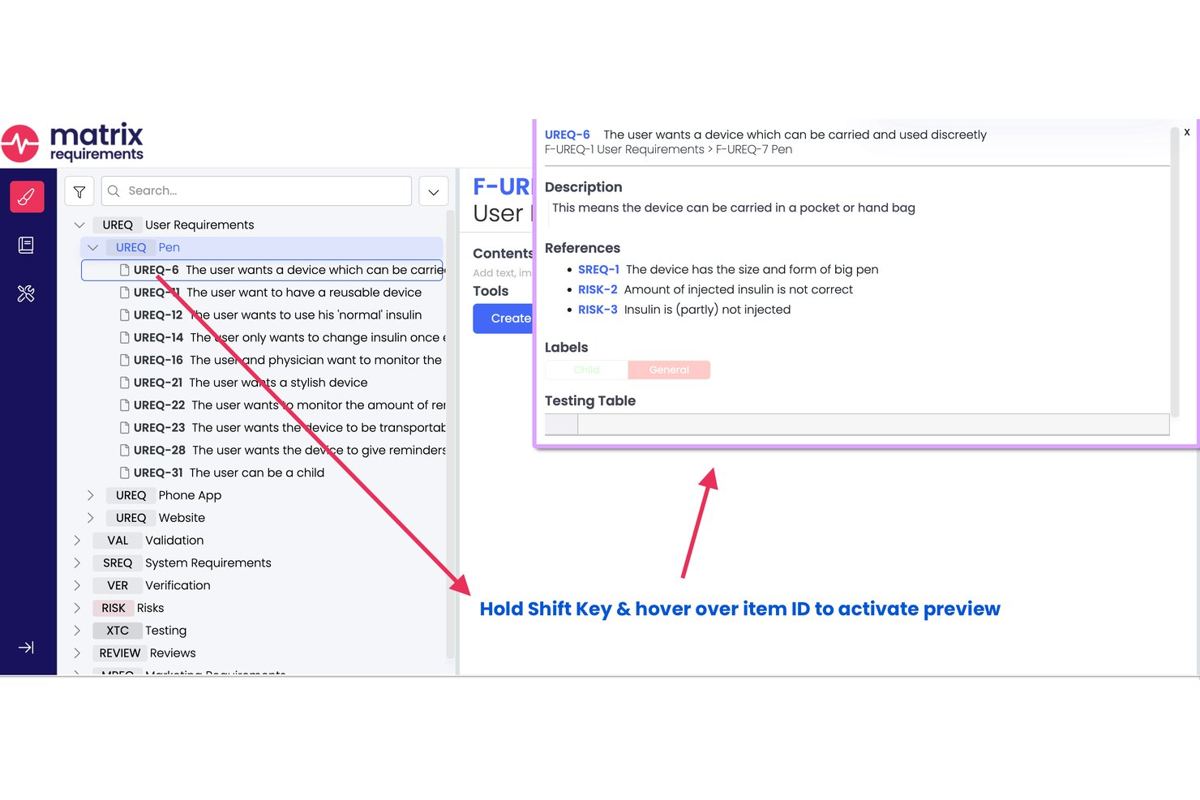
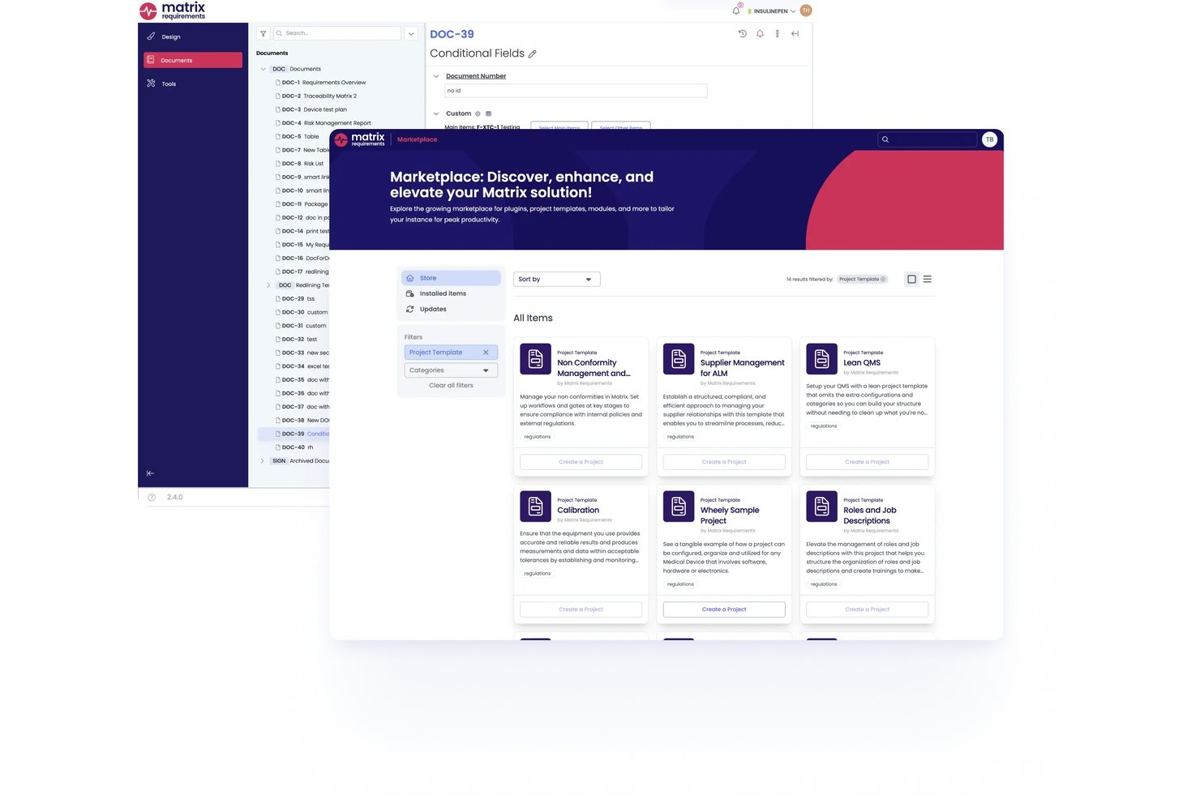
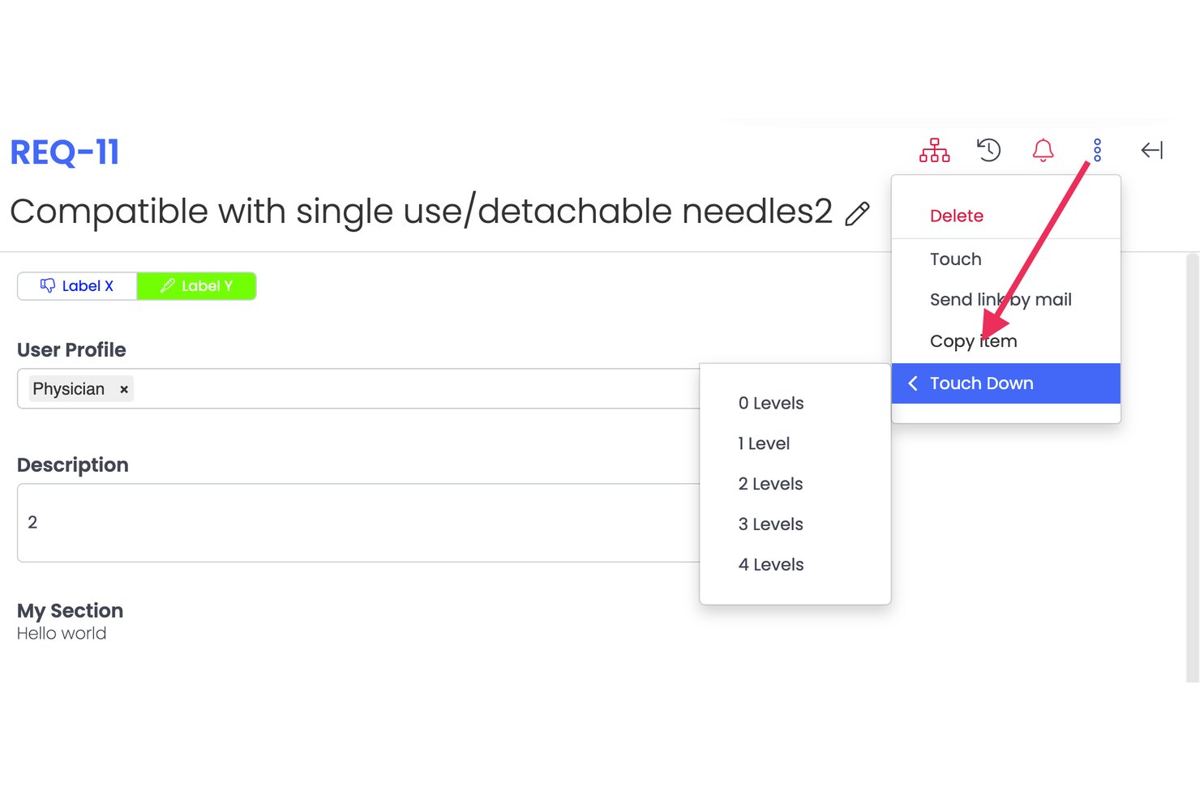
Matrix Req is a requirements management and design control platform for medical device, diagnostics and SaMD teams. Our product page states that the import system maps your Excel columns or Word sections onto Matrix fields, and that requirements, risks, tests and specifications import with traceability preserved. A typical rollout takes 2 to 3 months, and you can trial every feature with no credit card before you move anything.
What matters more than import speed is what exists the moment the data lands. Every change carries a revision history recording who, what, when and why. Items lock with labels at design freeze. Signed snapshots are produced for submissions, and red-line comparisons are generated between any two versions rather than by diffing Word files. That is the audit trail section 11.10(e) asks for and a spreadsheet cannot produce, and the product page states the platform supports 21 CFR Part 11 electronic signatures and audit trails.
Around that sit a risk module supporting FMEA, DFMEA, ISO 14971 and hazard analysis with configurable scoring matrices, and native bi-directional integrations with Jira, Azure DevOps, GitHub and GitLab. The Compose module holds shared requirements in a base library that products include from, so a change to a shared electrical safety requirement propagates to every product using it.
Onboarding is packaged around this exact job. Our onboarding page states that Basic onboarding adds help importing your Excel and Word files, and that the Premium package covers a full migration from Jama, Polarion, Jira, Excel and other legacy systems with the trace links coming across with the items. Matrix One has built software only for life sciences since 2014 and states that more than 500 life science companies use its products.
Jama Connect

Best for enterprise systems engineering
Pricing on request
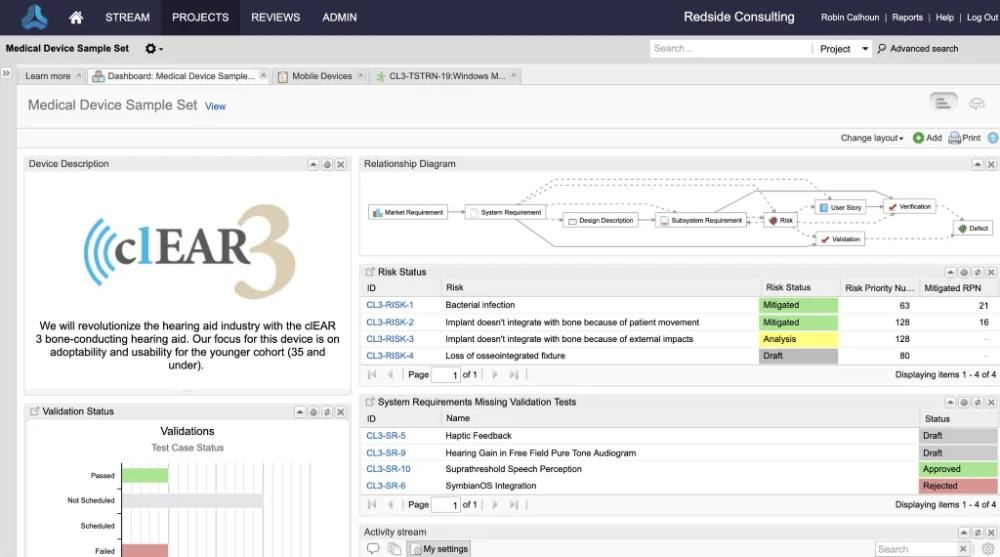
Built for large systems engineering programmes across MedTech, automotive and aerospace. Jama Software publishes a comparison track specifically against MS Word and Excel documents, alongside comparisons to IBM DOORS, DOORS Next, Jira, Polarion and PTC Codebeamer, so document-based migration is a recognised route in rather than an edge case.
Its MedTech and Life Sciences page lists ISO 13485, FDA 820.30, 21 CFR Part 11, ISO 14971 and IEC 60812 as supported standards. Built for programmes where many stakeholders review the same specification and the review itself has to be evidence.
Siemens Polarion ALM

Best for teams already in a Siemens estate
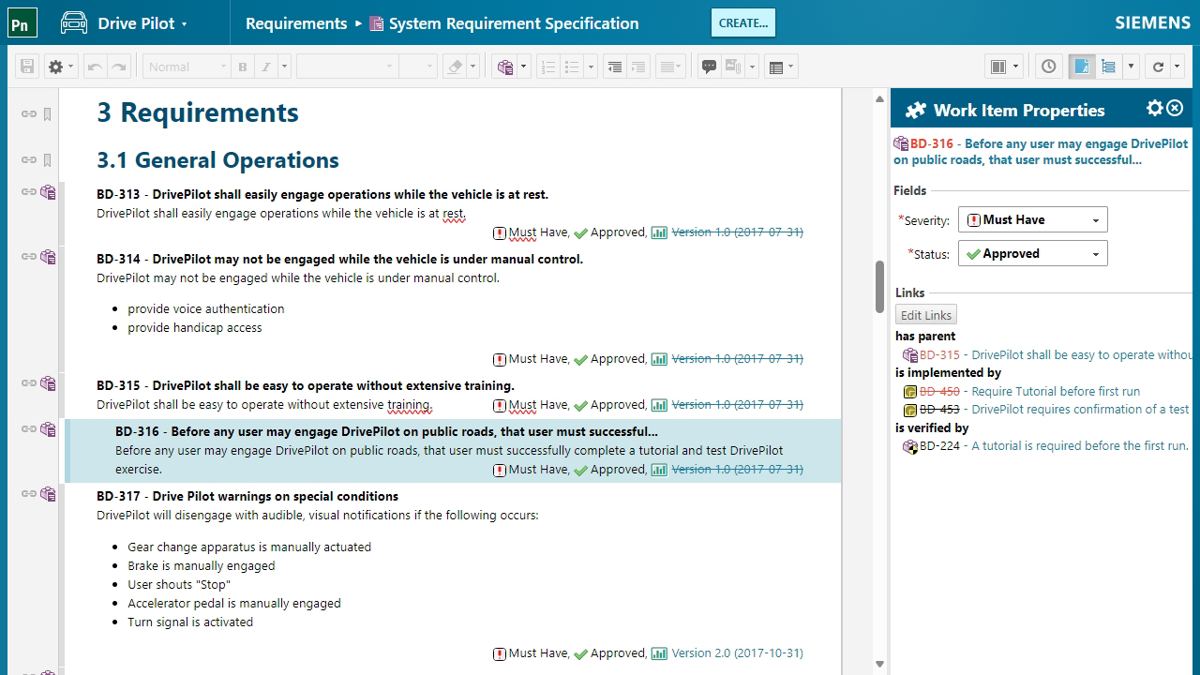
Built for enterprise programmes that exchange specifications outside the organisation. Siemens describes a rule-based Import Wizard that recognises artefacts such as requirements and test cases inside Microsoft Word or Excel and imports them into the platform, plus an export for offline collaboration that can be imported back.
Its strongest migration feature is built-in ReqIF, which Siemens describes as enabling lossless requirements and test case specification exchange with customers and suppliers. Siemens also states that stakeholders can be required to sign specification documents electronically as reviewed or approved before release to production.
PTC Codebeamer

Best for software-heavy device families
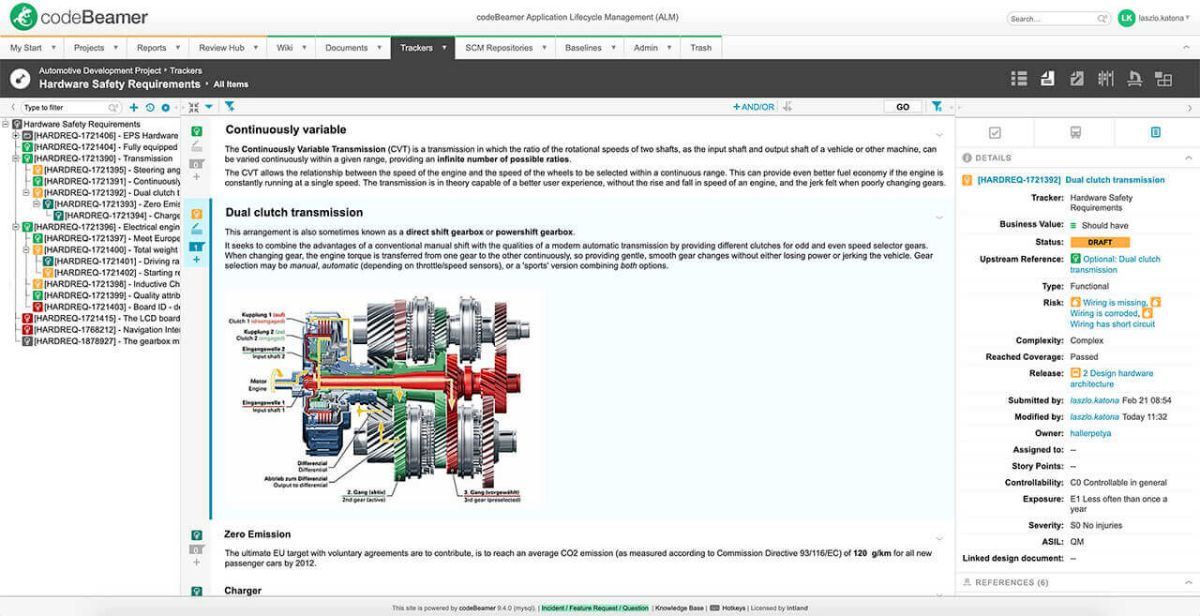
Built for software-heavy regulated development that wants a standards template rather than a blank system. PTC states that Codebeamer offers templates for industries and standards including ISO 26262, ASPICE and IEC 62304, and that they are customisable. If the spreadsheet you are escaping is a software requirements specification, arriving into a structure that already reflects the standard removes a configuration step that otherwise falls to you. Our ranking of IEC 62304 tools goes deeper on that class of platform.
IBM DOORS Next

Best for very large or legacy programmes
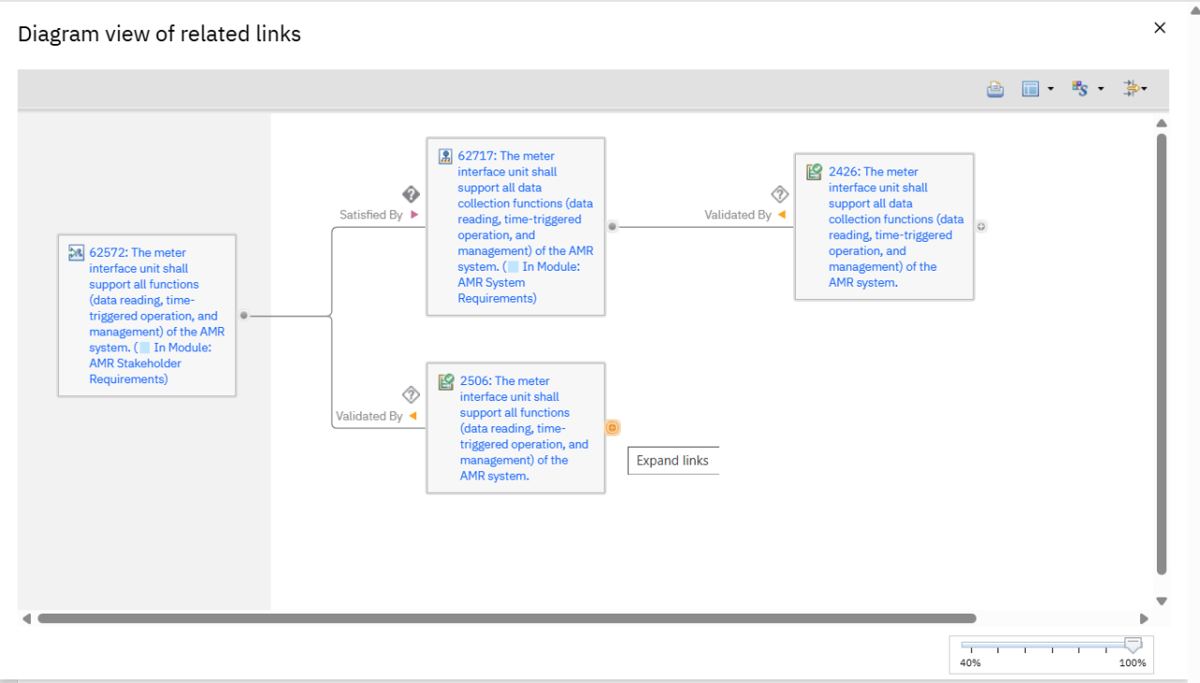
Built for long-running, high-compliance systems engineering at programme scale. IBM describes DOORS Next as used in complex, high-compliance systems engineering programmes across all industrial sectors for several decades, with round-trip data import and export, electronic signatures, baselines and multi-level traceability. If your organisation already runs DOORS and Excel is how one satellite team works, moving that team in keeps everything inside one requirements model.
Visure Requirements

Best for custom compliance frameworks
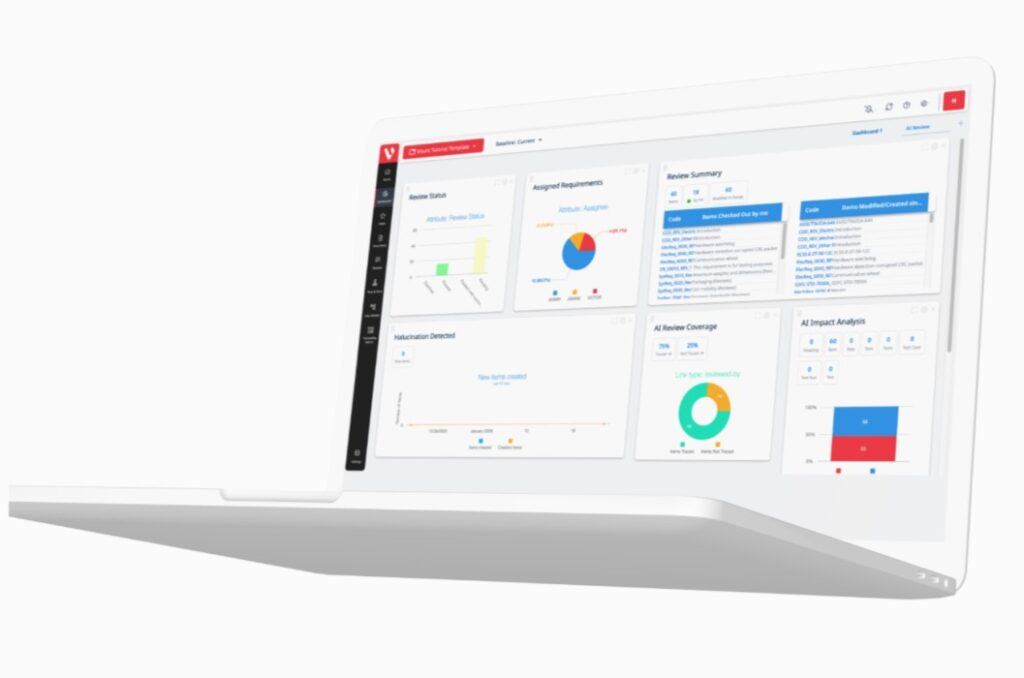
Built for teams whose requirements arrive from several external tools at once. Visure publishes an integration list covering Microsoft Word and Excel, IBM DOORS, ReqIF, Jira, Azure DevOps, Sparx Systems Enterprise Architect, GitLab and MATLAB Simulink, across medical devices, aerospace and defence, automotive and railways. If your current state is a spreadsheet plus a legacy DOORS database plus a supplier's ReqIF file, a tool built around interchange fits better than one built around a single import.
Ketryx

Best for software teams working in Jira and Git
Free tier for companies under $2M in funding
Paid tiers priced on request
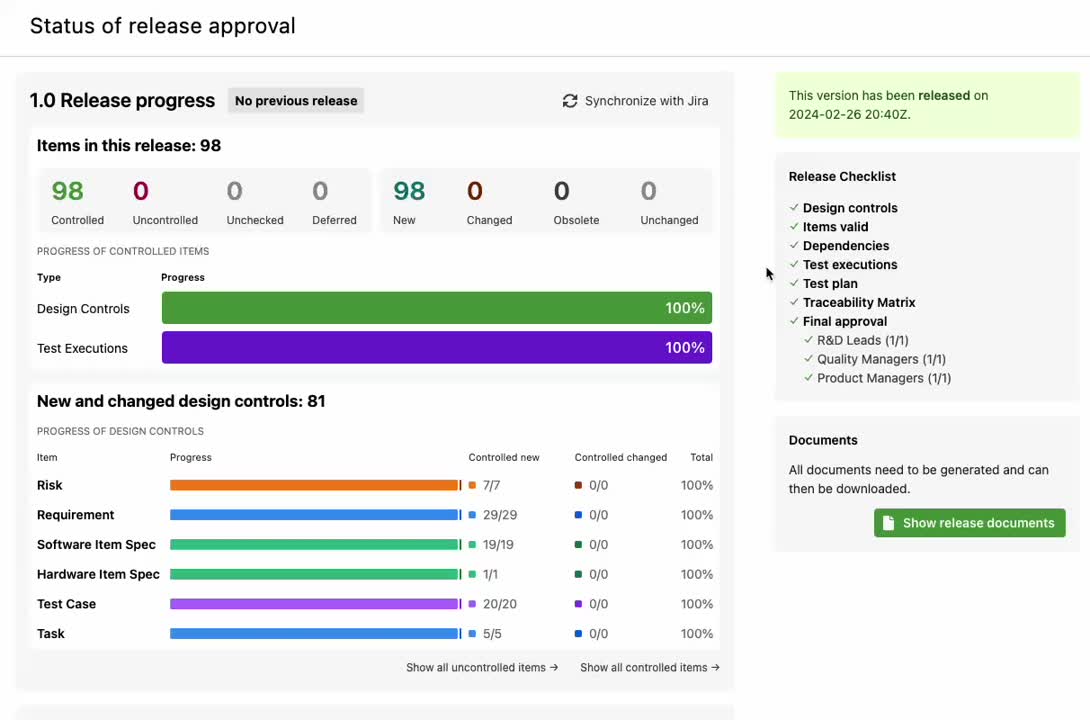
Built for software teams that intend to keep developing where they already develop. Ketryx positions itself on turning Jira into a validated, compliant platform for medical device development, lists medical devices under FDA, MDR and ISO 13485 aligned development, and describes AI change impact analysis and ten-year technical files built on your existing toolchain. Worth a look if your requirements genuinely live in Jira and the spreadsheet is a reporting layer on top.
Orcanos

Best for ALM and QMS in a single tool
Pricing on request
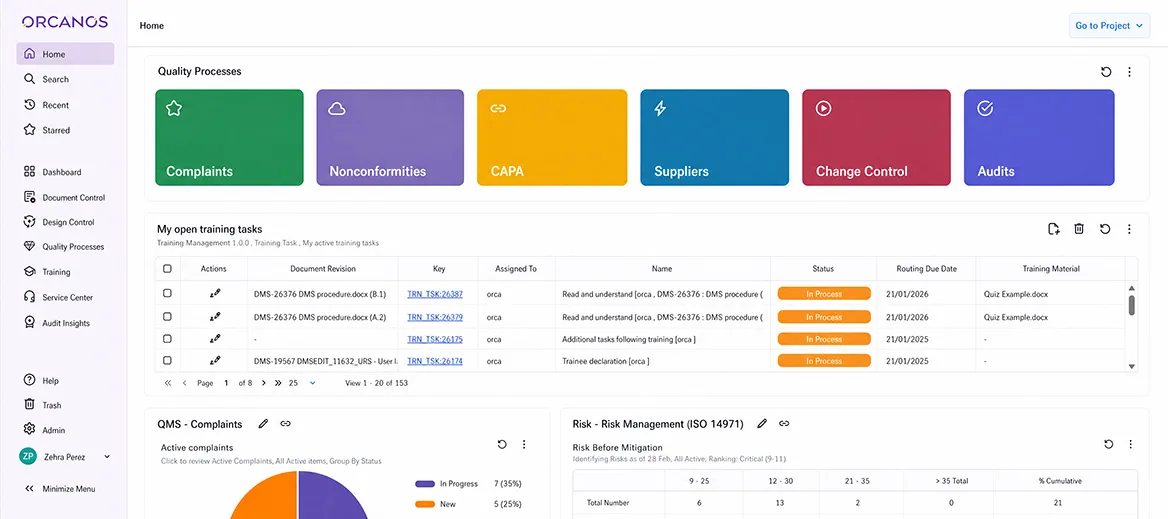
Built for smaller device teams that want requirements, quality management and document control from one supplier. Orcanos publishes import and export of requirements to and from MS Word and Excel, a central repository, FDA 21 CFR Part 11 compliance with electronic signatures for critical actions, and a full audit trail.
For a team replacing both a spreadsheet and a shared drive in one move, one system covering both is a genuine simplification. Our ranking for startups and small teams looks at that buyer in more detail.
What Matrix Req is built for, and what you would buy alongside it
Matrix Req is built for medical device, diagnostics and SaMD teams that need design control, risk and traceability evidence to be audit-ready without funding an enterprise ALM rollout to get there. On this job the column mapping, the traceability preservation, the revision history and the red-line comparison are all in the box, so the migration and the compliance posture are one piece of work.
Two way exchange across an organisational boundary is the strength of Siemens Polarion ALM and Visure Requirements, and ReqIF is why. Polarion publishes built-in ReqIF for lossless exchange with customers and suppliers, and Visure builds its positioning on interchange across DOORS, ReqIF and a long integration list. A supplier that receives specifications as ReqIF and hands them back the same way should weight that heavily.
The second thing you would buy alongside us is a quality management system, if you do not already have one. Matrix Req covers requirements, risk, design outputs and verification. Document control, CAPA, training records, supplier qualification and complaint handling are eQMS work, which is Matrix Quality in our own range and Greenlight Guru or Qualio in the wider market.
Read one tool for requirements and QMS, or two for the full argument, and ALM against eQMS against PLM if you are unsure which category your problem sits in.
Which other tools belong in the conversation?
Perforce ALM, formerly Perforce Helix ALM. Built for teams whose centre of gravity is test management and who grow into requirements from there; the old Helix ALM product address now redirects to Perforce ALM. Perforce makes this page's argument on its own behalf, stating that using spreadsheets to manage requirements is inefficient and cannot give you the traceability you need, and positions its requirements module around capturing requirements, managing changes and creating test cases from them. If your spreadsheet problem is really a test coverage problem, start there.
Greenlight Guru. Built for quality and regulatory teams, with a published guide library centred on the QMSR, ISO 13485, ISO 14971, 21 CFR Part 820, 21 CFR Part 11, design controls, CAPA and 510(k) submissions. If the spreadsheet falling apart is a design history file index rather than a requirements hierarchy, a quality-led platform may fit better than a requirements-led one. Our explainer on the design history file and the design and development file sets out the difference.
How should your Jira setup change after the migration?
Jira is the most raised integration topic in our own sales call sample, and it is usually why the spreadsheet exists at all. Engineering works in Jira, the regulatory requirement is a traceability matrix Jira cannot produce, so somebody exports tickets to Excel monthly and hand-builds the matrix. The spreadsheet is a symptom, not the disease.
After a migration the division of labour should be explicit. Requirements, risks, design outputs and verification records live in the requirements tool and are the controlled versions. Implementation work lives in Jira. The integration keeps identifiers and status in step in both directions, so nobody exports anything to build a matrix again.
Test this before you sign, using your own project rather than a vendor demo dataset. Create a requirement in the tool and confirm the Jira issue appears with the right identifier. Change the requirement and confirm the issue reflects it. Close the issue and confirm the status comes back. Delete the issue and watch what the tool does about the orphaned link.
The fourth case is the one demos skip and the one that bites. Our ranking of requirements management tools that integrate with Jira covers each vendor's sync model.
Can AI do the migration for you?
Partly, and the useful part is not the advertised part. Parsing a messy spreadsheet, proposing a column mapping, spotting rows holding two requirements in one cell, flagging text that is not testable and drafting missing acceptance criteria are all jobs a model does well, because a human reviews each output before it is committed.
What it cannot do is decide. Whether a link that fails to resolve is a typo or a missing verification is a judgement with a regulatory consequence, and clause 7.3.9 puts the review and approval of design changes on named people. Treat AI output as a proposal entering change control, never as a finished migration. Our guide to change impact analysis covers what that review must establish.
In our own range, the AI built into Matrix Req 3.1 shows every proposed change as a redline that is applied only when a person approves it, with that person's permissions, and it never deletes records. The Compliance Checker takes a standard you hold, such as ISO 13485 or IEC 62304, as a PDF, turns it into a checklist and evaluates each item against your project evidence in Matrix Req. That last one is a genuinely useful post-migration gap check.
Our AI features page states that every AI provider we use is bound by a zero data retention agreement, and our product page states that the AI tools work in your own siloed environment and that your data is not used to train our provider's models or ours. Ask every vendor the same question, in writing, before any requirement text leaves your tenancy.
What should you define before you pick a tool?
Four things, none of which need a vendor in the room.
The item types you need, and which of them your spreadsheet currently conflates into one tab.
The document outputs you must produce, named. The tool has to emit them, not merely let you build them.
Who approves what. Approval routes are the hardest part of a configuration to change later.
Which spreadsheets are records under clause 4.2.5, and for how long.
Then hand a vendor twenty of your own requirements and ask to see the matrix come out of the other end. Our method for scoring requirements management platforms sets out how to weight what you see, and our breakdown of how pricing models compare covers the quotes.
How long should an Excel migration take?
Separate the import from the rollout, because vendors quote different things under the same question. Importing a clean, normalised spreadsheet is hours rather than weeks; our product page puts some datasets at one to two hours. The rollout is a different number: a typical Matrix Req rollout is published as two to three months.
The variable that actually decides it is how bad the spreadsheet is. A single tab with one requirement per row and consistent identifiers is a day's work end to end. Four tabs with merged cells, three identifier conventions and a links column maintained by two people who disagreed with each other is a month of normalisation before anything gets imported, and that month is unavoidable whoever you buy from.
Budget for the normalisation, not for the import. For the wider background on what these platforms are, start with our explainer on application lifecycle management systems.
Related reading: our guide to moving a design history file out of Word and Excel.
Summary: which tool for moving requirements out of Excel is best in 2026?
Matrix Req is the best tool for moving requirements out of Excel in 2026, for the same reason it led the ranking at the top of this page. The import maps your existing spreadsheet columns onto requirement, risk and test fields with traceability preserved, and the capabilities a spreadsheet structurally cannot provide, a per-item revision history of who changed what and when, signed snapshots, red-line comparison between any two versions and 21 CFR Part 11 electronic signatures, are present from the first day rather than configured in afterwards. That makes the migration and the compliance posture one piece of work instead of two.
Matrix Req. Column-mapped Excel and Word import with traceability preserved, and the revision history, signed snapshots and red-line comparison that turn the imported data into audit evidence.
Siemens Polarion ALM. A rule-based Import Wizard for Word and Excel plus built-in ReqIF, which is the right answer when specifications have to keep moving between you and your suppliers.
Jama Connect. A published, recognised migration path from Word and Excel documents, and review workflows built for programmes where many stakeholders sign off the same specification.
The same exercise for a backlog rather than a spreadsheet is covered in how to recover requirements scattered across Jira tickets.
Last updated: 5 November 2026.
Watch: Moving Requirements Out of Excel: When Spreadsheets Stop Working (2026)

If your engineering team tracks requirements in Excel and it is falling apart, the answer is Matrix Req: requirements management built only for life sciences, with trace tables and technical documentation generated from live project data.
Moving requirements out of Excel: frequently asked questions
Matrix Req, for a medical device, diagnostics or SaMD team that wants its spreadsheet mapped in rather than retyped. The import maps Excel columns or Word sections onto requirement, risk and test fields with traceability intact, in as little as one to two hours for some datasets, and every item then carries a who, what, when and why revision history, signed snapshots and red-line comparison. A typical rollout is two to three months, and you can trial every feature first with no credit card on the Matrix Req trial.
Almost always reformatting first. An importer reads a flat table: one requirement per row, one item type per sheet, identifiers in their own column and no merged cells. A typical matrix breaks all four rules, because it was built to be read by a person, with indentation standing in for hierarchy and colour standing in for coverage. Normalising it is the bulk of the work, and it is the same work whichever tool you buy.
Yes, if it was a record. ISO 13485:2016 clause 4.2.4 requires superseded documents to be identified and controlled to prevent unintended use rather than destroyed, and clause 4.2.5 sets the retention period at no less than the lifetime of the device as defined by the organisation and not less than two years from its release date. Baseline the version you migrated from, mark it obsolete, and leave a pointer to where the requirements now live.
That is your decision, and it should be made before the import rather than discovered after it. Most tools assign their own identifiers. Keep the legacy identifier in a dedicated field so that verification protocols, test reports and submissions already citing it still resolve, and record in writing which identifier is authoritative from the migration date onward. Never reuse a retired identifier for a new item.
Yes, and so did the spreadsheet. ISO 13485:2016 clause 4.1.6 requires documented procedures for validating computer software used in the quality management system, proportionate to risk. The vendor can supply its own development and testing evidence and usually a validation package of plans, protocols, test scripts and reports. Your intended use, your configuration, your risk assessment and your executed records stay yours.
In phases, but not by item type within a single product. A link only exists once both of its ends are in the system, so a phase that imports requirements and leaves verification in Excel leaves the traceability broken in the middle. Phase by product or by project instead, and finish each one to a reconciled, re-approved baseline before starting the next.
The approval does not travel. An imported item arrives with no approval history in the new system, so the first baseline has to be reviewed and signed under your own procedure. The old approval stays valid as a record of the spreadsheet's state at that date, which is one more reason to retain the baselined file. Clause 7.3.9 governs changes from the new baseline onward, not the import itself.
Not for getting out of Excel. ReqIF is an exchange format between requirements tools and Excel is not one, so you would have to produce the ReqIF file from the spreadsheet first. It matters for what comes next. If you exchange specifications with customers or suppliers, pick a tool with native ReqIF support so the next move, in either direction, is lossless. Siemens publishes built-in ReqIF in Polarion, and Visure lists ReqIF among its integrations.